
Dominate Search Engine Rankings
With Crawl First
Data-driven keyword research, technical website audits, and white-hat optimization strategies designed to elevate your brand to the top of Google.
A website can have excellent content, an attractive design, and a strong backlink profile, yet still struggle to appear in Google search results. Sometimes the problem is not what the website says, but how it is built, how quickly it loads, or how easily search engines can access its pages.
This is where a technical SEO audit becomes important.
A technical SEO audit helps identify the hidden issues that may prevent search engines from discovering, understanding, and indexing your website properly. It also highlights problems that can affect user experience, website performance, and conversions.
Whether you run a small business website, an e-commerce store, a corporate website, or a large content platform, regular technical SEO audits can help you maintain a healthy website and identify opportunities for improvement.
In this guide, we have covered 50 essential technical SEO checks that you can use to evaluate your website, identify potential problems, and build a practical action plan.
What Is a Technical SEO Audit?
A technical SEO audit is a systematic examination of the technical elements of a website that influence how search engines crawl, render, understand, and index its pages.
Unlike a content audit, which focuses on the quality, relevance, and usefulness of written content, a technical SEO audit examines the infrastructure that supports your website.
It includes checking website speed, mobile performance, crawlability, indexing, URL structure, redirects, internal links, structured data, website security, and several other technical elements.
For example, imagine you have published a detailed article targeting an important business keyword. The content is well researched and provides useful information, but the page has accidentally been marked as noindex. Search engines may be unable to include that page in their search results.
Similarly, if your website takes too long to load on mobile devices, visitors may leave before they have an opportunity to explore your services.
A technical SEO audit helps you identify these issues before they create larger problems for your website.

Why Is a Technical SEO Audit Important?
Technical SEO is an essential part of maintaining a website that performs well in organic search. Even a well-designed website can have technical problems that are difficult to notice during everyday use.
Here are some of the main reasons to conduct a technical SEO audit.
Improve crawling and indexing
Search engines need to discover and process your website’s important pages. Technical problems such as incorrect robots.txt directives, broken internal links, and unsuitable canonical tags can interfere with this process.
Improve website performance
Slow-loading pages, oversized images, and unnecessary scripts can make your website difficult to use. Identifying performance problems can help create a faster and smoother experience for visitors.
Make your website mobile-friendly
Many users access websites through smartphones. A technical audit helps you identify mobile layout issues, difficult navigation, content overflow, and other usability problems.
Identify indexing problems
Not every page discovered by Google will necessarily be indexed. Reviewing indexing data can help you understand why important pages are excluded and whether technical corrections are needed.
Improve website structure
A logical website structure makes it easier for visitors to navigate between related pages and helps search engines discover important content.
Protect your organic search performance
Website redesigns, platform changes, accidental configuration updates, and server problems can introduce technical errors. Regular audits help you identify and resolve these issues.
It is important to remember that technical SEO does not guarantee higher rankings. It creates a reliable technical foundation that allows your content and other SEO efforts to be discovered and evaluated properly.
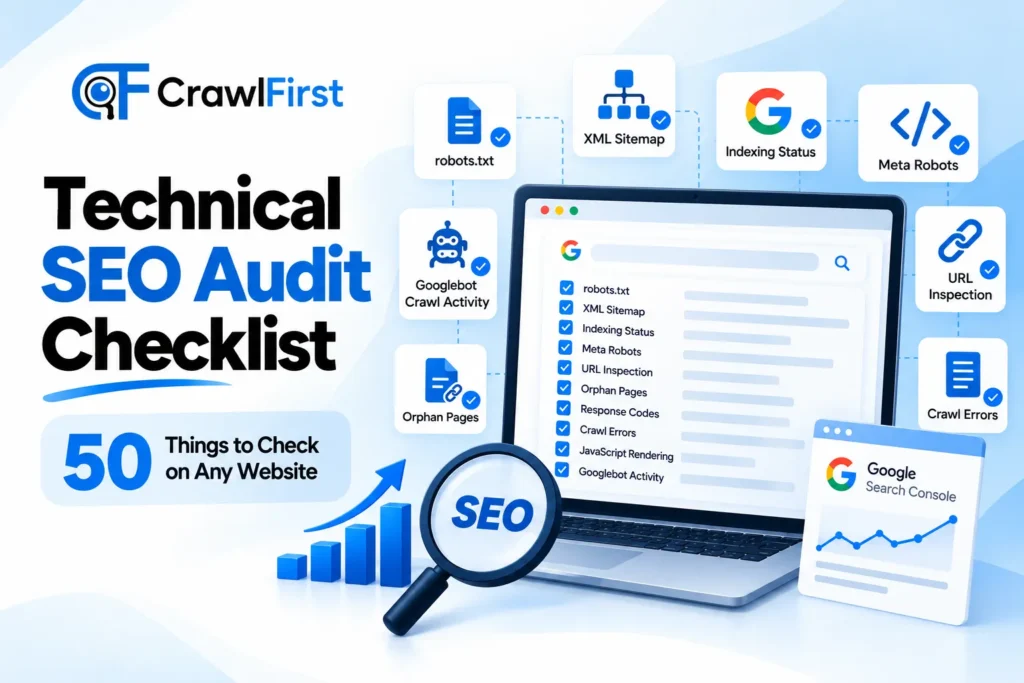
Technical SEO Audit Checklist: 50 Things to Check on Any Website
The following checklist is divided into seven important areas. You can work through it from beginning to end or use individual sections to investigate a particular technical problem.
Section 1: Website Crawling and Indexing
Crawling and indexing are among the first areas to examine during a technical SEO audit. Search engines need to access your important pages and understand which URLs should be considered for inclusion in search results.
- Check Your Robots.txt File: The robots.txt file provides instructions to compliant search engine crawlers about which parts of your website they may crawl. Visit yourdomain.com/robots.txt and check whether the file is accessible and contains the intended directives. Make sure important sections such as your service pages, blog posts and relevant resources are not accidentally blocked. Also review any disallow rules that may have been added during website development. A robots.txt file does not guarantee that a URL will remain out of Google’s index. It controls crawling, not indexing directly.
- Verify Your XML Sitemap: An XML sitemap helps search engines discover important URLs on your website. Check whether your website has a valid sitemap and whether it can be accessed without errors. For WordPress websites, the sitemap is often generated automatically by the CMS or an SEO plugin. Your sitemap should contain the canonical URLs of pages you want search engines to discover. Avoid including broken URLs, redirected pages or pages that are intentionally marked as noindex. Submit the sitemap through Google Search Console and monitor its processing status.
- Review Indexing Status in Google Search Console: Google Search Console provides information about how Google processes the URLs it discovers on your website. Open the Page indexing report and examine the indexed and non-indexed pages. Pay particular attention to important service pages, product pages and blog articles that are missing from the index. Review the reasons Google provides for excluding URLs. Some exclusions are expected, while others may indicate a technical problem that requires investigation.
- Check Meta Robots Directives: Meta robots tags tell search engines how they should handle a particular page. Review important pages for directives such as index, noindex, follow and nofollow. Make sure pages that should appear in search results are not accidentally marked as noindex. Also check for X-Robots-Tag directives in HTTP response headers. These can apply indexing instructions independently of the HTML page.
- Inspect Important URLs Using URL Inspection: Google Search Console’s URL Inspection tool helps you examine how Google understands an individual URL. Use it to inspect important pages and review their indexing status, last crawl information, declared canonical and Google-selected canonical where available. You can also examine the rendered page and request indexing for eligible updated URLs. A request does not guarantee immediate crawling or indexing, but it can help Google discover significant updates.
- Identify Orphan Pages: Orphan pages are pages that have no internal links pointing to them from other discoverable pages on your website. They may still be accessible through an XML sitemap, external links or other discovery methods, but they are often difficult for users and search engines to find through normal navigation. Use a website crawler to compare discovered URLs with your sitemap, CMS page list and analytics data. Review pages with no internal links and decide whether they should be linked, consolidated or removed.
- Check Server Response Codes: Every page request receives an HTTP status code that provides information about the server’s response. Important examples include:
- 200 means the page was successfully served.
- 301 means the URL has been permanently redirected.
- 302 means the URL has been temporarily redirected.
- 404 means the requested page was not found.
- 500 indicates an internal server error.
Crawl your website and identify important pages that return unexpected errors or redirects. Pay special attention to service pages, landing pages and articles that already receive organic traffic.
- Review Crawl Errors: Open the relevant reports in Google Search Console and review any crawl-related issues. Look for persistent server errors, blocked resources, unexpected access restrictions and URLs that Google is repeatedly unable to fetch. Not every reported crawl error requires a fix. Start by identifying whether the affected URL is important and whether the problem is reproducible.
- Check JavaScript Rendering: Some websites rely heavily on JavaScript to display navigation, content, product information or other important elements. Check whether essential page content and links are available in the rendered HTML. Compare the original page source with the rendered output using browser developer tools or an SEO crawler that supports JavaScript rendering. If important content only appears after a complicated interaction or cannot be rendered reliably, work with your developer to improve how that content is delivered.
- Review Googlebot Crawl Activity: For larger websites, reviewing crawl statistics and server logs can provide valuable information about search engine activity. Look at which sections of the website are being crawled, the types of responses returned and whether Googlebot is spending significant time on low-value or duplicate URLs. Server log analysis is particularly useful for large websites, websites with complex URL parameters and websites that have recently undergone a migration.
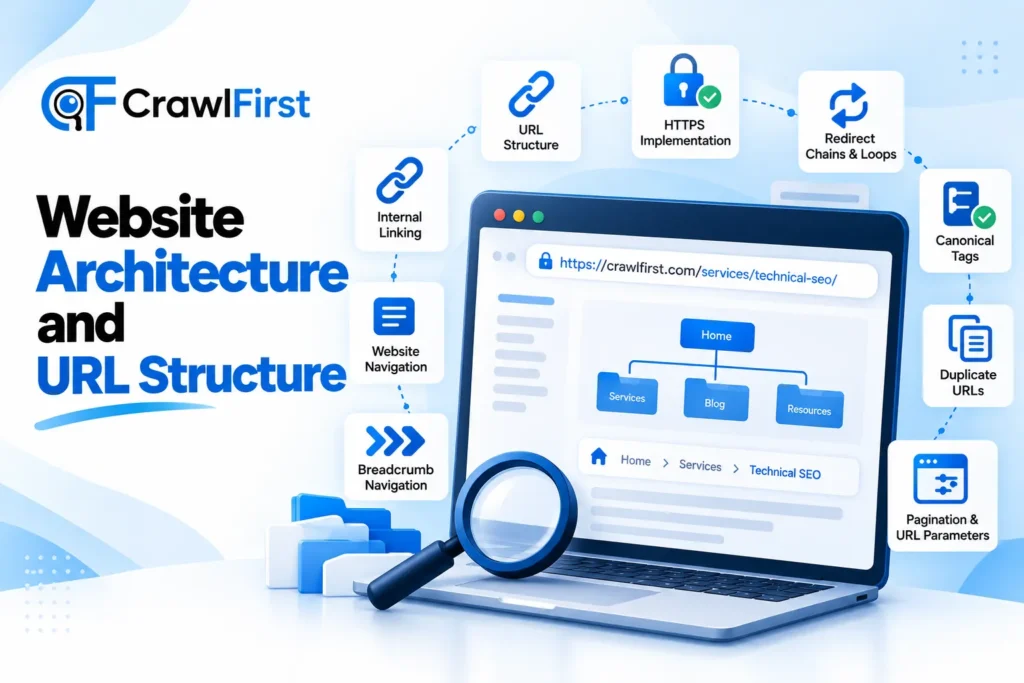
Section 2: Website Architecture and URL Structure
A well-organised website helps users find information and allows search engines to understand how pages relate to each other.
- Check Your Website’s URL Structure: Review the URLs of your important pages and ensure they are clear, consistent and meaningful. For example, a URL such as crawlfirst.com/services/technical-seo/ is easier to understand than a URL containing multiple unnecessary parameters. Use a logical URL structure that reflects your website’s content organisation. Avoid changing existing URLs without a clear reason and a proper redirect plan.
- Ensure HTTPS Is Implemented Correctly: Your website should use HTTPS across all important pages. Check that HTTP URLs redirect to their HTTPS equivalents and that the website uses a consistent preferred domain. Also review internal links, canonical tags and sitemap URLs to make sure they point to the correct HTTPS versions.
- Check for Redirect Chains: A redirect chain occurs when one URL redirects to another URL, which then redirects to a third URL. For example, an old HTTP page might redirect to a new HTTP URL before eventually reaching the final HTTPS page. Long or unnecessary redirect chains can make crawling less efficient and create a slower navigation experience. Use a crawler to identify redirect chains and, where appropriate, update redirects so that old URLs lead directly to the final destination.
- Identify Redirect Loops: A redirect loop happens when two or more URLs continually redirect to each other, preventing the browser from reaching a final page. These issues can make pages inaccessible to users and search engines. Test redirected URLs with a crawler or redirect checker and correct any circular redirect rules in your server or CMS configuration.
- Review Canonical Tags: Canonical tags help indicate which URL should be treated as the preferred version when similar or duplicate pages exist. Check whether important pages have appropriate canonical tags and whether those tags point to accessible, relevant URLs. Look for conflicting canonical instructions, canonical chains and cases where unrelated pages have been assigned the same canonical URL. Remember that canonical tags are signals rather than absolute commands. Google may select a different canonical when other signals indicate another URL is more appropriate.
- Find Duplicate URLs: Duplicate or near-duplicate pages can be created by URL parameters, sorting filters, tracking codes, alternate URL formats or CMS settings. Use a crawler to identify pages with identical or substantially similar content and review whether they need canonicalisation, consolidation, redirects or another solution. Do not assume every similar page should be removed. Some variations serve different user needs and should remain accessible.
- Review Internal Linking: Internal links connect related pages within your website. Check whether your most important service pages, category pages and useful articles receive links from relevant parts of the website. Use descriptive anchor text that helps readers understand what they will find on the destination page. Avoid excessive links or repetitive keyword-heavy anchor text that makes the content unnatural.
- Check Website Navigation: Review the main menu, footer navigation, breadcrumbs and other navigational elements. Make sure important sections can be reached easily, labels are understandable and links work correctly on desktop and mobile devices. A well-planned navigation system helps visitors move through the website without unnecessary effort.
- Review Breadcrumb Navigation: Breadcrumbs show users where a page sits within the website’s structure. For example, a blog article might use Home, Blog, SEO and the Article Title as its breadcrumb path. Check that breadcrumbs reflect the actual information architecture, link to the correct pages and display consistently across relevant templates. Breadcrumb structured data can also help search engines understand the page hierarchy when implemented correctly.
- Check Pagination and URL Parameters: Large blogs, product catalogues and listing websites may use pagination, filters and sorting parameters. Review whether these URLs create unnecessary crawlable variations, duplicate pages or navigation problems. Make sure important paginated content can be discovered through working links and that filters do not generate unlimited low-value URL combinations. Choose indexing and canonicalisation rules based on the actual purpose and content of each URL rather than applying one rule to every parameter.
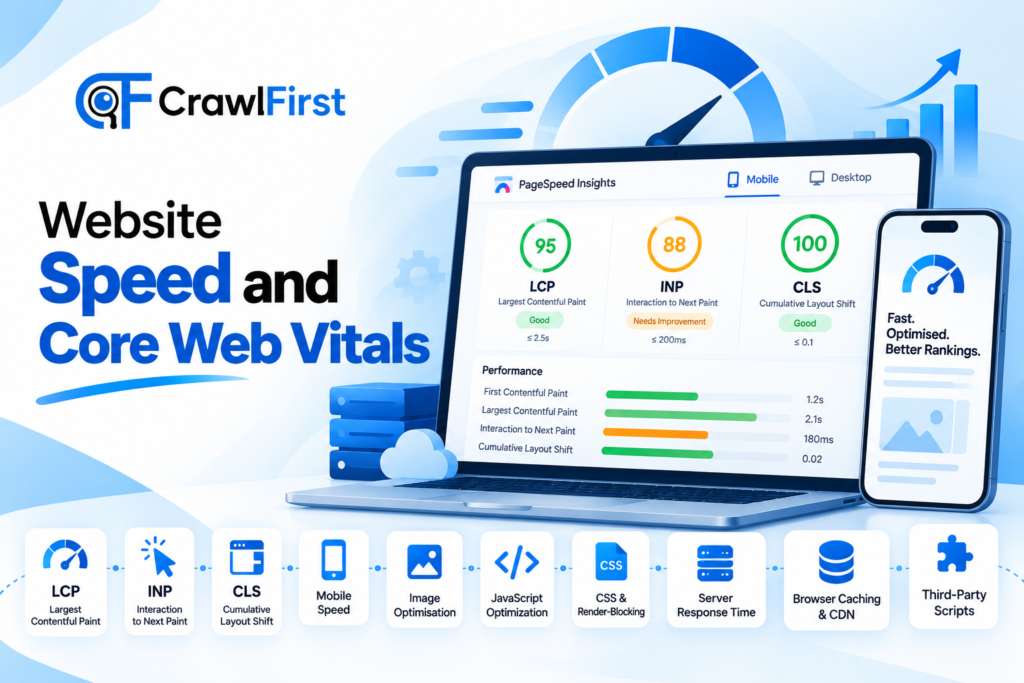
Section 3: Website Speed and Core Web Vitals
Website performance influences how quickly visitors can access content and interact with your website. It is also an important part of Google’s page experience evaluation.
- Measure Largest Contentful Paint: Largest Contentful Paint, or LCP, measures how long it takes for the largest visible content element to render. Google’s good LCP threshold is 2.5 seconds or less, measured at the 75th percentile of page visits. Use PageSpeed Insights to examine field data where available and identify the element responsible for a slow LCP. Common causes include oversized hero images, slow server responses, render-blocking resources and inefficient page templates.
- Check Interaction to Next Paint: Interaction to Next Paint, or INP, measures how quickly a page responds visually to user interactions. Google considers an INP of 200 milliseconds or less good. If your website feels slow when users click buttons, open menus or interact with forms, examine JavaScript execution, long tasks and unnecessary third-party scripts.
- Review Cumulative Layout Shift: Cumulative Layout Shift, or CLS, measures unexpected visual movement during a page’s loading and interaction lifecycle. A good CLS score is 0.1 or less. Unexpected shifts may occur when images lack defined dimensions, advertisements load late, fonts cause layout changes or content is inserted above existing elements. Review important page templates and correct layout shifts that disrupt reading, navigation or form completion.
- Test Website Speed on Mobile Devices: Do not evaluate website speed only on a powerful desktop computer or a fast office connection. Test important pages under mobile conditions and review how quickly their main content becomes available. Pay particular attention to large images, heavy scripts, complex page builders and external resources that may slow down the mobile experience.
- Optimise Images: Images can contribute significantly to page weight. Review image dimensions, file sizes and formats. Use modern formats such as WebP or AVIF where suitable and serve images at dimensions appropriate for their display area. Use responsive image delivery and avoid loading unnecessarily large image files on smaller screens.
- Reduce Unnecessary JavaScript: Excessive JavaScript can delay page rendering and make interactions slower. Review third-party scripts, tracking tools, plugins and unused code. Remove unnecessary scripts and defer or load non-critical resources when appropriate. Before changing scripts, check that important functions such as navigation, analytics, conversion tracking and forms continue to work correctly.
- Optimise CSS and Render-Blocking Resources: Large stylesheets and render-blocking resources can delay the initial display of a webpage. Use performance diagnostics to identify unused CSS, unnecessary stylesheets and resources that prevent important content from appearing quickly. Apply critical CSS techniques where suitable and avoid introducing complicated optimisation rules without testing their impact on the design.
- Improve Server Response Time: The time taken by the server to respond to a request affects the overall loading experience. Check server response times using PageSpeed Insights, browser developer tools and hosting performance reports. Possible improvements include server-side caching, database optimisation, better hosting resources and reducing unnecessary backend processing.
- Configure Browser Caching and Content Delivery: Browser caching can reduce the need to download unchanged resources repeatedly. Review cache headers for static assets such as images, CSS and JavaScript files. A content delivery network may also help serve resources closer to visitors, particularly when your audience is spread across different regions. Test cache configurations after implementation to ensure visitors receive updated files when important website changes are made.
- Check Third-Party Scripts and Plugins: Chat widgets, analytics platforms, advertising scripts, embedded videos and other third-party integrations can increase page weight and create performance issues. List the scripts running on your website and review whether each one is necessary. Remove unused integrations and test whether essential scripts can be loaded more efficiently without affecting tracking accuracy or user functionality.
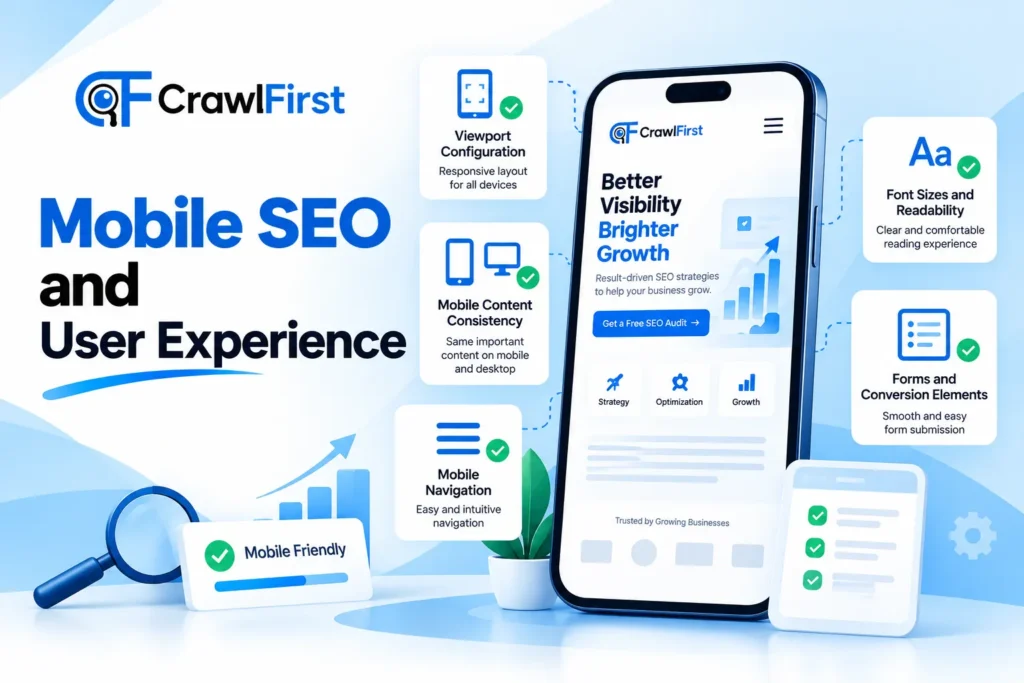
Section 4: Mobile SEO and User Experience
Mobile usability is an important consideration because Google predominantly uses the mobile version of a website for indexing and ranking.
- Verify the Viewport Configuration: Check whether your pages have an appropriate viewport meta tag so that the layout adapts to the device’s screen size. Test your website on multiple mobile screen sizes to identify fixed-width elements, horizontal scrolling and content that extends beyond the visible area.
- Check Mobile Content Consistency: Compare the mobile and desktop versions of your important pages. Make sure essential content, internal links, structured data and important metadata are available in the mobile version. If mobile pages hide or remove significant information that exists on desktop, review the design and rendering approach.
- Review Mobile Navigation: Test menus, dropdowns, search functions and other navigational elements on mobile devices. Make sure they are easy to open, close and use with touch input. Check that menus do not cover essential content or prevent users from accessing important pages.
- Check Font Sizes and Readability: Review font sizes, line spacing, paragraph width and contrast on mobile screens. Users should be able to read the content comfortably without repeatedly zooming in or scrolling sideways. Pay particular attention to long-form blog posts, product descriptions and contact forms.
- Test Forms and Conversion Elements: Check enquiry forms, newsletter subscriptions, booking forms and contact buttons on mobile devices. Make sure fields can be completed easily, validation messages are understandable and submission works correctly. A technically accessible website can still lose valuable enquiries if its forms are difficult to use.
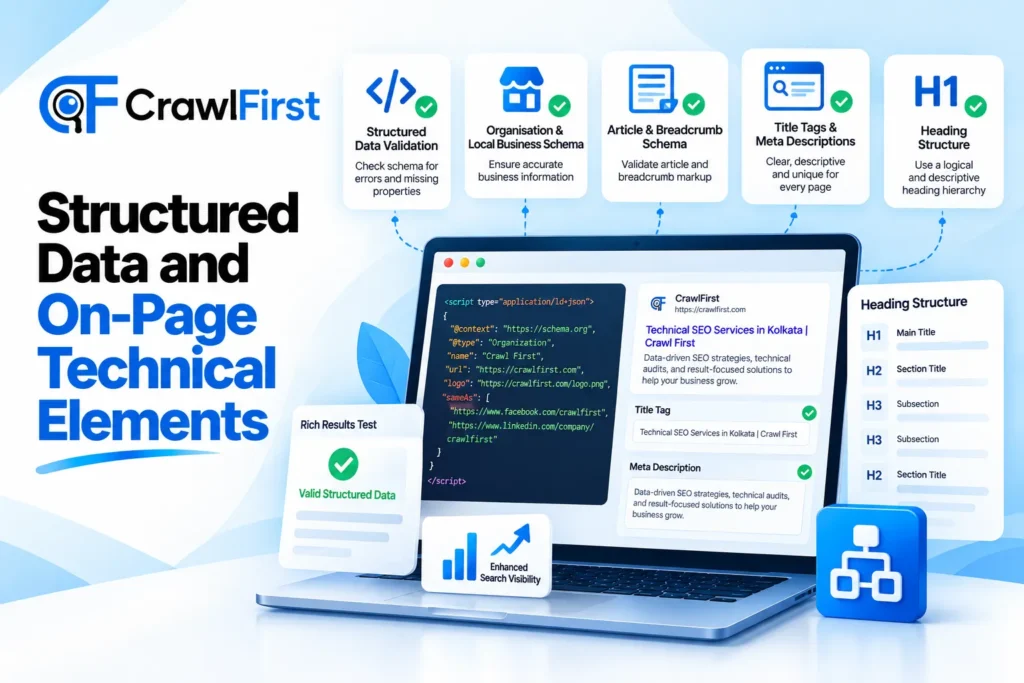
Section 5: Structured Data and On-Page Technical Elements
Structured data helps search engines interpret certain information on your pages. Technical on-page elements also help make individual URLs clear and consistent.
- Validate Your Structured Data: Review structured data implemented on your website and check for syntax errors, missing required properties and information that does not match the visible page content. Use Google’s Rich Results Test for supported rich result types and Schema.org’s validator for broader schema validation. Valid structured data makes a page eligible for supported search enhancements, but it does not guarantee that Google will display them.
- Check Organisation and Local Business Schema: If your website represents a company or a local business, review whether appropriate organisation or local business structured data is implemented. Check that the business name, contact information, website URL and other properties are accurate and consistent with the visible information on your website. Only include properties that genuinely apply to your business.
- Review Article and Breadcrumb Schema: For relevant blog articles, check whether Article or BlogPosting structured data accurately describes the page. Review the headline, author, publication date, modification date and image information where applicable. For pages with breadcrumbs, verify that BreadcrumbList structured data accurately reflects the visible navigation hierarchy.
- Audit Title Tags and Meta Descriptions: Review the title tags and meta descriptions of important pages. Each page should have a clear and descriptive title that reflects its subject and helps users understand the content. Meta descriptions should summarise the page accurately and encourage relevant users to visit it. Google may generate different title links or snippets depending on the search query, so neither element should be treated as a guaranteed display.
- Check Heading Structure: Review the heading hierarchy on important pages. Use descriptive headings that make the content easier to scan and understand. Avoid empty headings, headings used only for visual styling and confusing structures that make long pages difficult to navigate. A clear heading structure benefits readers and helps search engines interpret the organisation of your content.
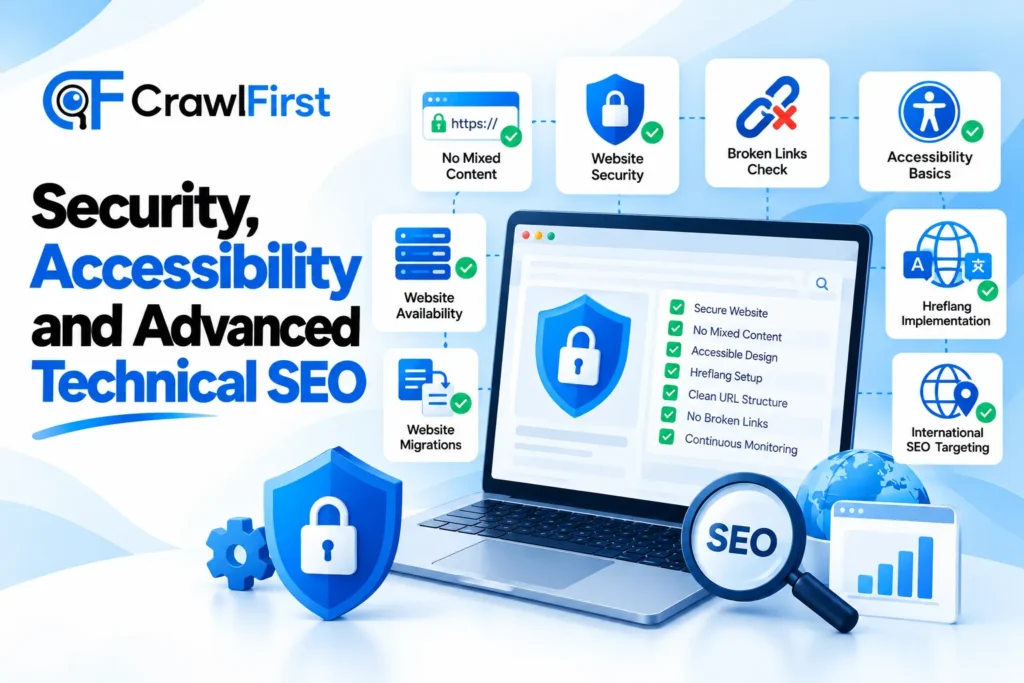
Section 6: Security, Accessibility and Website Health
A reliable website needs more than search visibility. It should also provide a safe and accessible experience for visitors.
- Check for Mixed Content: Mixed content occurs when an HTTPS page loads certain resources over insecure HTTP connections. Review browser security warnings and identify insecure images, scripts, stylesheets or embedded resources. Update the affected resource URLs to secure versions wherever possible and verify that the page continues to work correctly.
- Review Website Security: Check whether your website has an active SSL certificate, secure administrative access and an appropriate system for keeping the CMS, themes and plugins updated. Review hosting security settings, backups and access permissions. Security maintenance reduces the risk of website compromise and unexpected downtime.
- Check for Broken External and Internal Links: Use a website crawler to identify links that lead to unavailable pages or incorrect destinations. Fix broken internal links by updating the destination or redirecting obsolete URLs where appropriate. For external links, review whether the referenced resource still exists and remains useful to readers.
- Review Accessibility Basics: Check whether images that convey useful information have meaningful alternative text, form fields have clear labels and important interactive elements can be accessed using a keyboard. Review colour contrast, link clarity and the accessibility of navigation elements. Accessibility testing is broader than a technical SEO audit, but many of the same improvements can make a website easier for both people and search engines to understand.
- Check Website Availability and Downtime: Review hosting uptime reports, server monitoring data and any unexpected periods of unavailability. Repeated downtime can prevent visitors from accessing the website and interfere with search engine crawling. Set up appropriate monitoring and investigate recurring server or hosting problems before they become persistent.
Section 7: Advanced Technical SEO Checks
These checks are especially useful for larger websites, international businesses, e-commerce platforms and websites that frequently update their content.
- Review Hreflang Implementation: If your website has multiple language or regional versions, check whether hreflang annotations are implemented correctly. Each relevant page should reference the appropriate language or regional alternatives, including the required return references. Validate language codes, regional codes and destination URLs. Incorrect hreflang implementation can make it harder for search engines to understand which version is intended for which audience.
- Audit Website Migrations: A website migration can involve a domain change, CMS change, redesign, URL restructuring or HTTPS transition. Before launching, prepare a URL mapping document that connects old URLs with their relevant new destinations. After migration, review redirects, canonical tags, internal links, sitemap files, indexing status and server responses. Monitor organic search performance and investigate unexpected changes.
- Review Faceted Navigation and Crawl Traps: E-commerce and large listing websites often use filters for price, size, category, location or other attributes. These filters can generate a large number of URL combinations, including pages that provide very little unique value. Identify unnecessary URL variations and decide which should be crawlable, indexable, canonicalised or restricted through appropriate technical controls. The objective is to keep useful pages accessible while avoiding excessive low-value crawling.
- Review International and Regional Website Targeting: For websites serving customers in different countries, review the URL structure, language versions, content consistency and regional targeting signals. Make sure visitors are directed to suitable versions of the website without preventing them or search engines from accessing other relevant versions. Review hreflang alongside canonical tags and check that regional pages offer genuinely useful information for their intended audiences.
- Establish Continuous Technical SEO Monitoring: A technical SEO audit should not be a one-time activity. Set up regular monitoring for important areas such as indexing, server errors, page performance, broken links, sitemap processing and organic traffic. Establish a baseline before implementing major technical changes and compare results over time. A monitoring process helps your team detect new issues early, validate completed fixes and keep the website technically healthy as it grows.
Tools to Perform a Technical SEO Audit
You do not need an expensive collection of tools to start auditing a website. Several free and paid tools can help you investigate different technical areas.
Tool – Main purpose
- Google Search Console – Indexing, crawl statistics, URL inspection, search performance
- Google PageSpeed Insights – Core Web Vitals and page performance diagnostics
- Screaming Frog SEO Spider – Website crawling, broken links, redirects, canonicals and metadata
- Semrush Site Audit – Technical issue detection and ongoing website monitoring
- Google Rich Results Test – Validation of supported structured data
- Schema.org Validator – Broader structured data validation
- Chrome DevTools – Rendering, network requests, JavaScript and performance debugging
- Google Analytics 4 – User engagement and conversion measurement
For a small website, Google Search Console, PageSpeed Insights and a suitable website crawler provide a useful starting point. Larger or more complex websites may require log file analysis, JavaScript rendering tests and more advanced crawling tools.
How to Prioritise Technical SEO Issues
Finding 50 possible issues does not mean you need to fix everything at once. Some technical problems affect important pages directly, while others may have very little impact on your business.
Start by considering three factors: the number and importance of affected pages, the potential impact on users and search visibility, and the effort required to implement a reliable fix.
Critical issues
These include accidental noindex directives on important pages, incorrect robots.txt restrictions, widespread server errors and major canonicalisation problems.
Investigate these issues first because they can prevent important pages from being discovered or processed as intended.
High-priority issues
These may include serious mobile rendering problems, major performance bottlenecks, broken internal links on important pages and incorrect redirects affecting key landing pages.
Prioritise them according to their impact on visitors and organic search performance.
Medium-priority issues
These can include unnecessary URL variations, incomplete structured data, weak internal linking and performance improvements affecting less important pages.
Schedule these fixes based on their relevance, scale and available development resources.
Low-priority improvements
These include smaller technical refinements that have limited effects on important pages or user journeys.
Keep them documented, but avoid spending significant time on minor issues while more substantial problems remain unresolved.
A practical technical SEO audit should end with a clear action plan that identifies the issue, the affected URLs, the proposed solution, the person responsible and the expected completion date.
How Often Should You Perform a Technical SEO Audit?
The right audit frequency depends on the size, complexity and rate of change of your website.
For a small business website, a comprehensive technical review every three to six months may be a reasonable starting point, supported by ongoing monitoring.
For a large e-commerce website or a platform that publishes and updates thousands of URLs, more frequent automated crawling and regular reviews may be appropriate.
You should also conduct a technical audit after a major redesign, migration, CMS upgrade, change to URL structure or significant and unexplained drop in organic performance.
Regular monitoring between full audits helps you catch important problems without waiting for the next scheduled review.
Final Thoughts
Technical SEO is one of the foundations of a healthy website. It helps ensure that search engines can discover and process important pages while visitors receive a reliable, fast and accessible experience.
The 50 checks in this guide provide a structured way to examine your website, from crawling and indexing to Core Web Vitals, structured data and advanced technical configurations.
You do not need to fix every issue immediately. Start with problems affecting important pages, prioritise changes based on their likely impact and validate each fix after implementation.
A technically healthy website gives your content strategy and other SEO activities a stronger foundation. Combined with useful content, relevant authority and a clear conversion strategy, it can support sustainable organic growth.
Need Help With Your Website’s Technical SEO?
Technical SEO issues are not always easy to identify, especially when a website has complex templates, multiple plugins, JavaScript rendering or a large number of URLs.
At Crawl First Technologies, we help businesses identify technical SEO problems, improve website performance, strengthen crawlability and build actionable strategies for organic search growth.
Whether you need a complete technical SEO audit, a website performance review or support with indexing and structured data, our team can help you understand what is affecting your website and what to do next.
Get your website audited by Crawl First Technologies and take the next step towards better organic search performance.
Explore our SEO services and get in touch with our team.

The Crawl First editorial team is made up of digital marketing specialists, SEO strategists, and content writers based in Kolkata, India. With hands-on experience managing SEO and digital campaigns for businesses across West Bengal and India, the team writes practical, research-backed guides to help businesses grow their online presence.